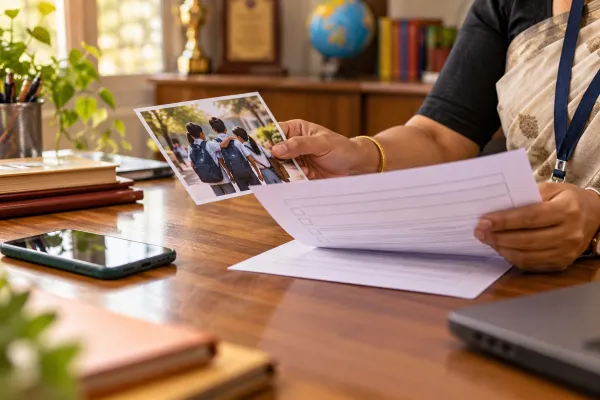
What should a school do with event photos after the photographer leaves?
Agree on a clear handover: receive the files through an approved route, check who can see and use them, record where copies remain, and set a date to review or delete copies that are no longer needed. The event may be over, but the files can remain on a camera card, an editing laptop, a cloud link and the school's own devices.
This is a practical workflow, not a one-size-fits-all legal retention period. Your school should check applicable law, its agreements and any legitimate reason to preserve particular records.
1. Agree on the handover before the event
Name one school coordinator and one contact at the photographer. Agree what will be delivered, who is allowed to receive it and how the files will be transferred. Include raw files, edited files, video and any selection galleries in the discussion: a finished album is not necessarily the only copy.
Write down whether the photographer may use any images for a portfolio or social media. Do not assume that permission to photograph an event also settles public promotion. Check the relevant family permissions and legal position for each proposed use before approving it.
2. Receive and check the files
Use a school-approved, access-controlled transfer method. Avoid a public link that anyone can forward. Where practical, set an expiry for shared links, use separate channels for passwords and remove access when the transfer is complete. Ask IT for help if the photographer proposes a service the school has not assessed.
The coordinator should confirm that the delivery is complete and that the intended recipients can open it. Keep original files in an approved location with access limited to people who need them; avoid passing a full event folder through personal messaging groups.
3. Separate review from publication
An event coordinator may need to review the gallery without having authority to publish every image. Before sharing with parents or posting publicly, check the school's approved process and the preferences or permissions relevant to each intended use. A group image can involve several children, so one family's preference does not settle the position for everyone pictured.
Where the decision is unclear, pause the specific use and ask the designated school contact or adviser. Keep a record of the decision without distributing more student information than the reviewers need.
4. Make a copy map
Ask the photographer to identify where event material may remain: camera cards, editing computers, personal devices, cloud galleries, shared links, backups and subcontractor systems. Record the school-side locations too. Note who controls each copy, who has access and the planned review date.
Agree what happens after delivery: return, deletion or limited retention where needed. A deletion confirmation can document what the photographer says was removed and when; it does not by itself prove that every backup or subcontractor copy has disappeared. Ask about any remaining copies and their scheduled treatment. Preserve material when a legal hold, other legal obligation or justified retention need applies, and document the exception.
5. Close the loop
The coordinator confirms delivery; IT removes temporary school-side access; the photographer confirms the agreed treatment of their copies; and the school records any outstanding items and a follow-up date. If a parent later raises a concern, route it to the school's named contact and use the copy map to identify the relevant images, uses and recipients. Do not promise that a publicly shared image can always be recalled from every third party.
How does this fit into school-wide privacy?
MediaGuard by LIT focuses on school media workflows. Schools also need to consider admissions, learning systems, transport, vendors and other information flows. LIT can discuss broader privacy support with relevant partners; the product's scope and any integration should be confirmed for the school's setup.
For related preparation, see our annual day photo checklist, vendor privacy questions and October 2026 DPDP order explainer.
Sources checked 31 October 2026: DPDP Act, especially sections 8 and 9; Act commencement notification; DPDP Rules, 2025; and CERT-In's 2026 security blueprint, which discusses access governance and secure retention as indicative controls. The Act and rules have staggered commencement; check the applicable provisions, exceptions and later notifications for your circumstances. These suggested workflow steps do not each represent a separate legal mandate. Other laws may also apply. This is general information, not legal advice.
What does this mean for your school?
Turn the guidance into a practical plan for your school, from policies and staff to parent permissions and media.